We use cookies to ensure you get the best user experience on our website.Find Out More
Know why your users crash, struggle, and leave. Shakebug gives you deep session context and user journeys alongside Firebase Crashlytics.
Installation
Bugs
Crashes
Sessions
Events
We are proud to be accepted into NVIDIA Inception, a program designed to support innovative startups building the next generation of AI-powered products. This strengthens our path as we continue expanding Crash AI, analytics intelligence, and smarter debugging workflows for engineering teams.
Shakebug is a bug and crash reporting tool for iOS, Android, Flutter, React Native and web apps built with React, Next.js or any JavaScript framework. Testers and end users report a bug by simply shaking their device; Shakebug attaches an annotated screenshot plus the device model, OS version, app version and logs a developer needs to reproduce the issue. Crashes are captured automatically and grouped with AI, and every report is connected to the user's session journey — the events, screens and actions that led up to the problem. Reports flow straight into tools like Jira, Slack, Trello and ClickUp. More than 1,300 product teams use Shakebug, and it has analyzed over 44 million app sessions. A free plan is included, so teams can start without a credit card.
Whether you are testing releases, writing code, or tracking product health, Shakebug connects your team without manual overhead.
Instant shake capture • Zero manual logging
Crash AI • Full diagnostic stack traces
Session journeys • Enterprise trust & compliance




































From the first bug report to long-term retention — one platform for app quality and product insight across mobile and web.
Testers and users report bugs in-app with an annotated screenshot, screen recording, user journey breadcrumbs, console logs, and complete device data — so developers can reproduce and fix without the back-and-forth.
Read the bug reporting guide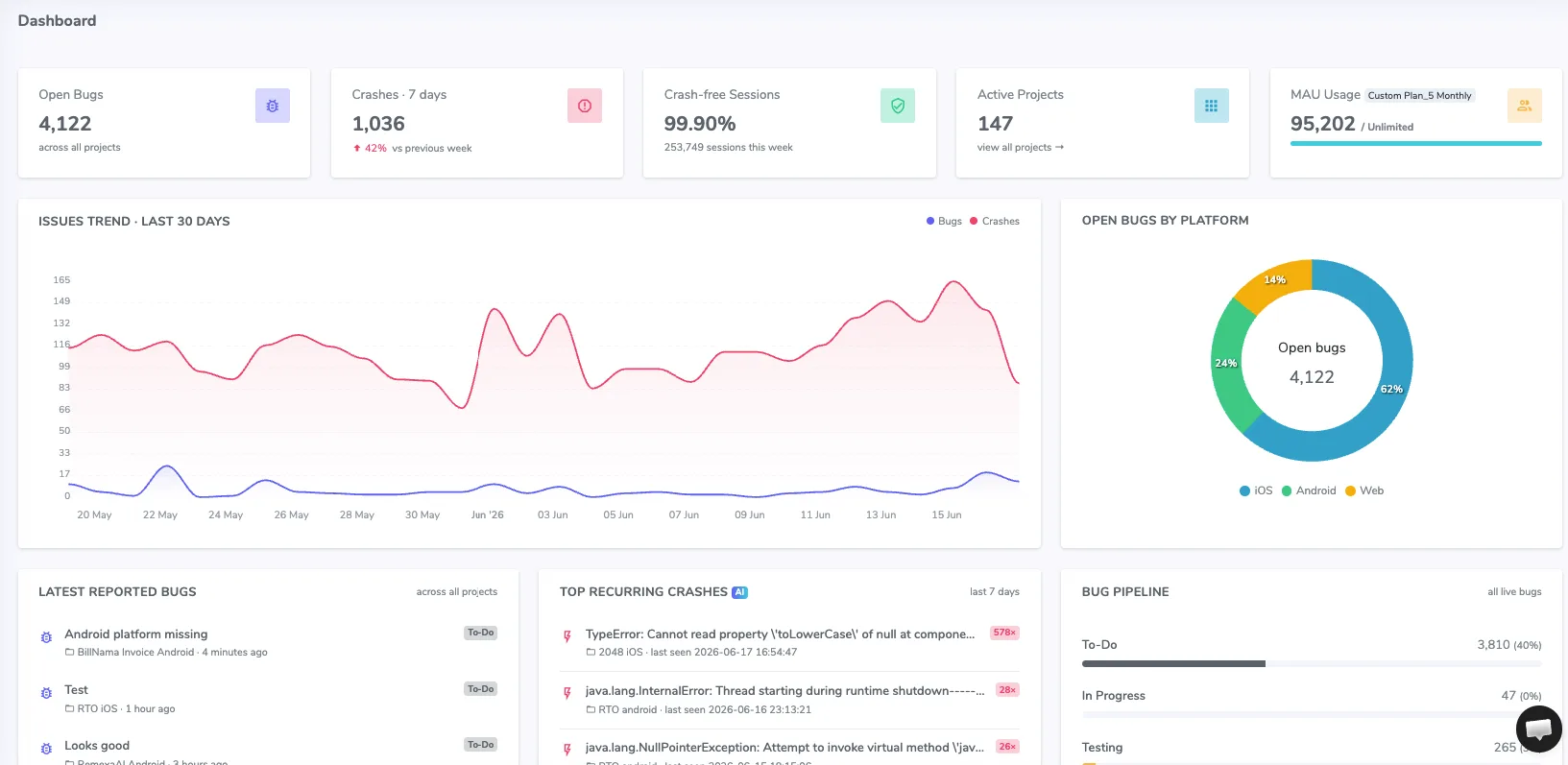
Crashes are captured automatically the moment they happen. Crash AI clusters identical crashes into a single issue with first-seen date, affected devices, OS versions and trends — so you fix what matters first instead of sifting duplicates.
Explore AI bug & crash reporting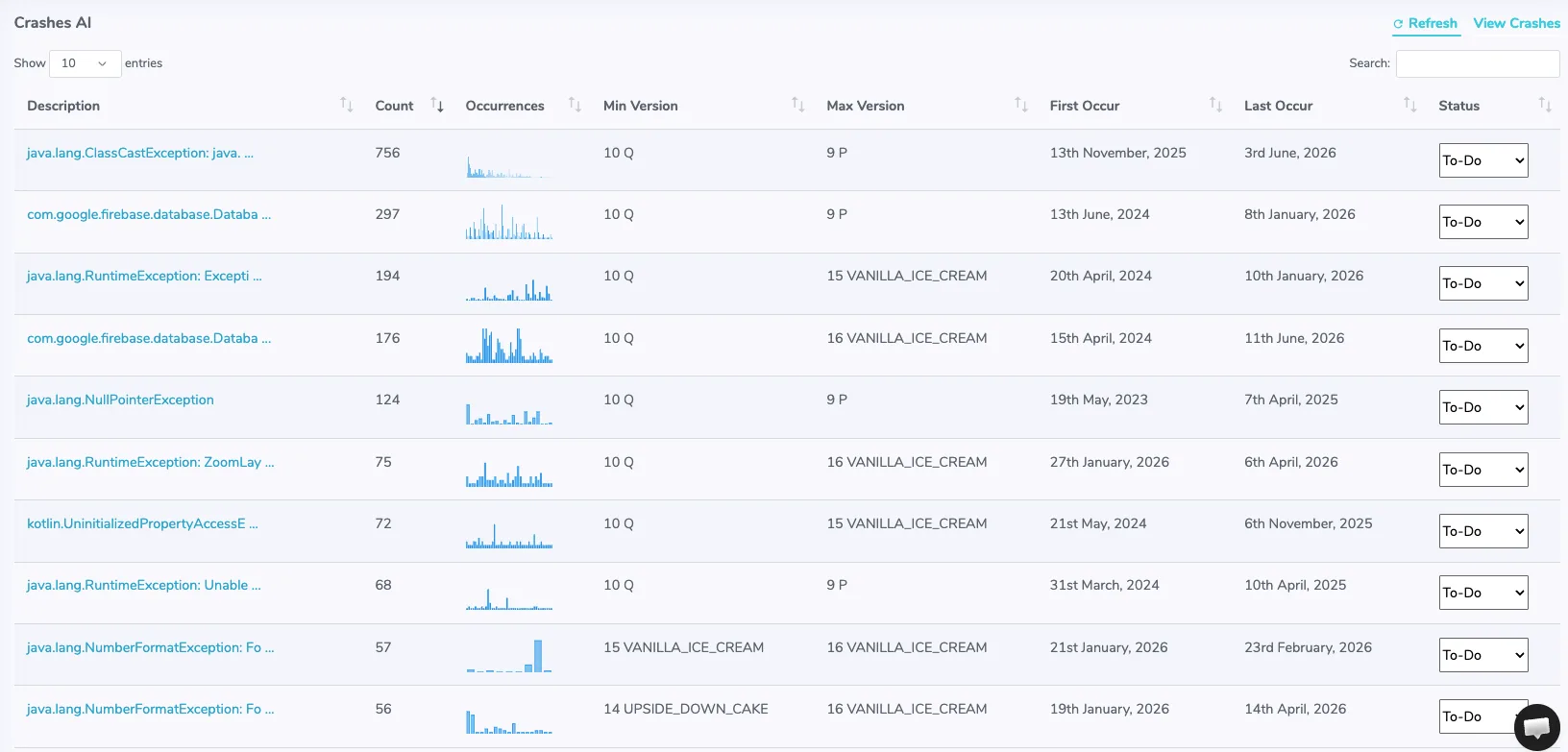
See bugs with the complete narrative: a clear timeline connecting sessions, events, bug reports and crash data — navigation, actions and the exact point things broke. Session Journey works even for apps without a login: every visitor’s session is tracked anonymously by device.
Learn how session tracking works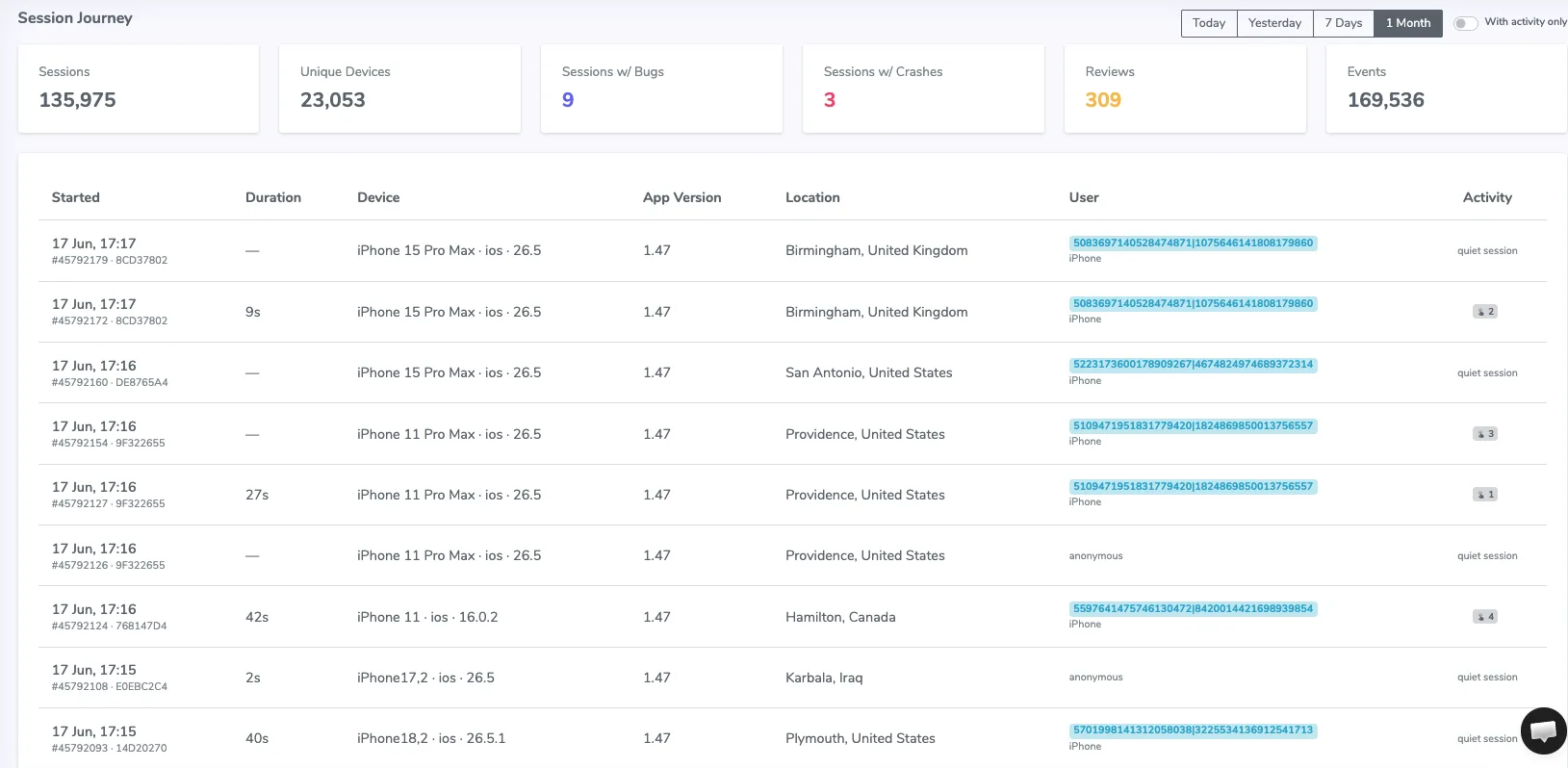
When your app identifies a customer through the SDK, User Journey ties their full history together by name or email — every session, event, bug, crash and rating in one timeline, so support and product conversations start with context.
Explore user journey tracking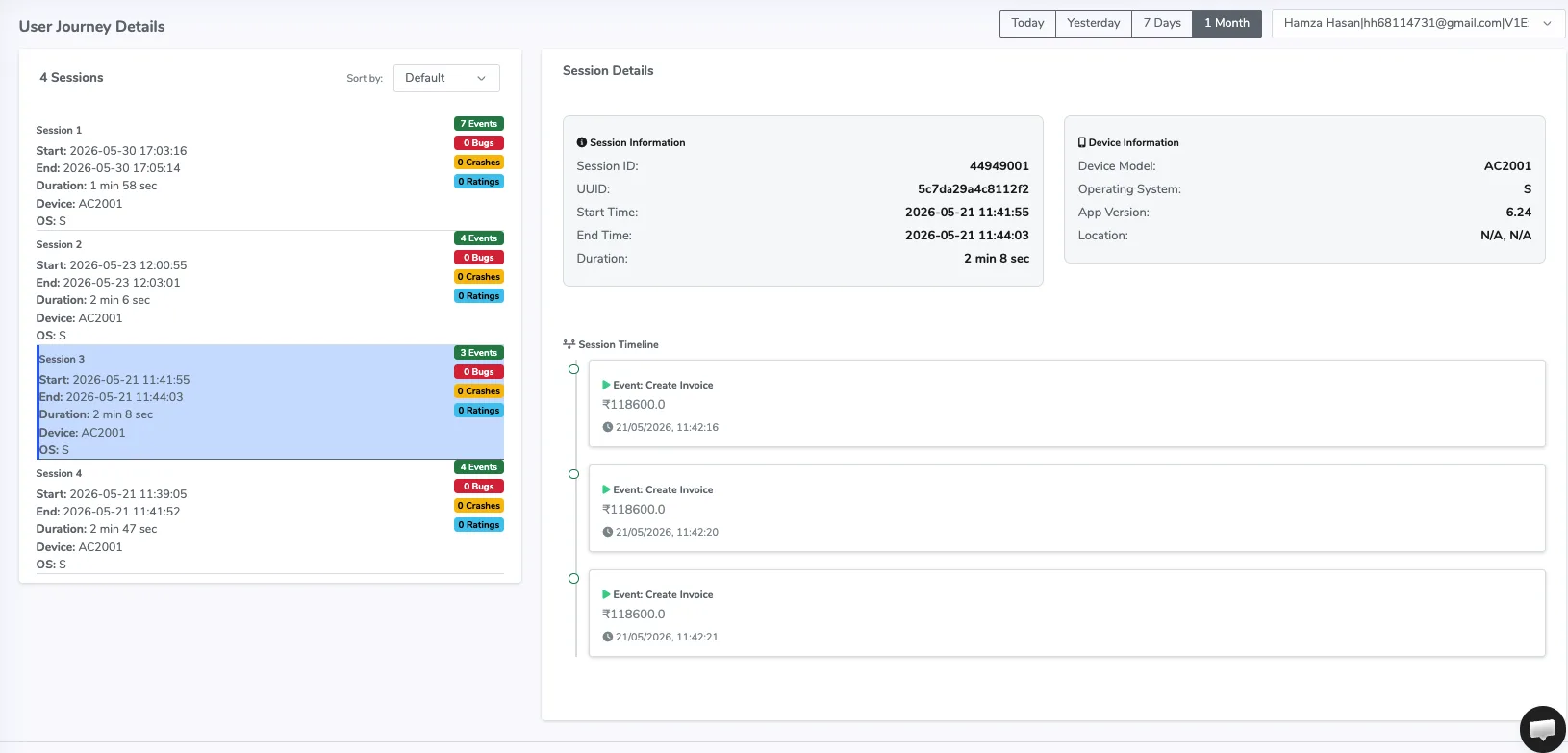
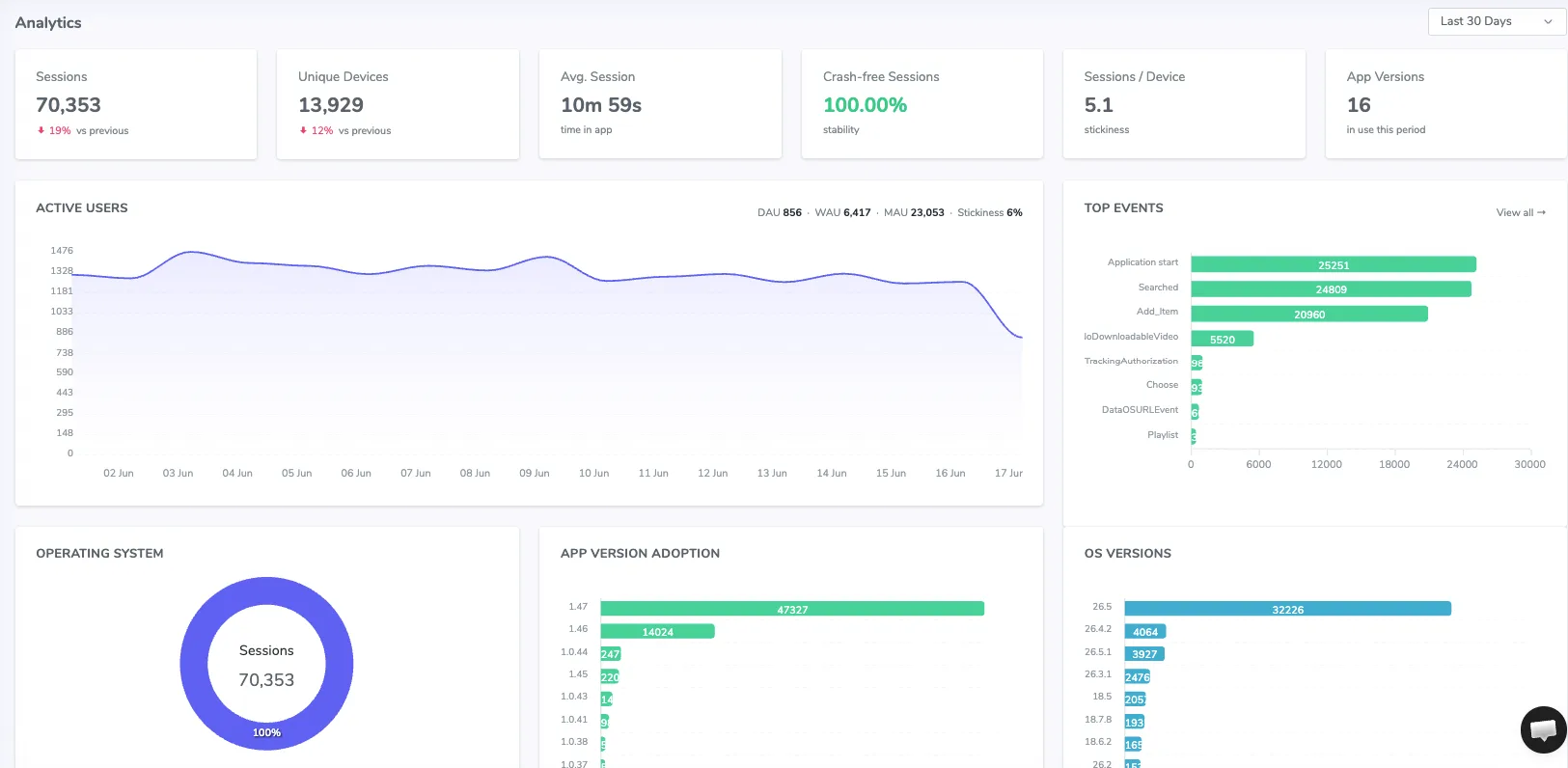
Track sessions, monthly and daily active users, stickiness and app health over any period. Quality and usage live side by side — so bug and crash trends sit right next to how people actually use your app.
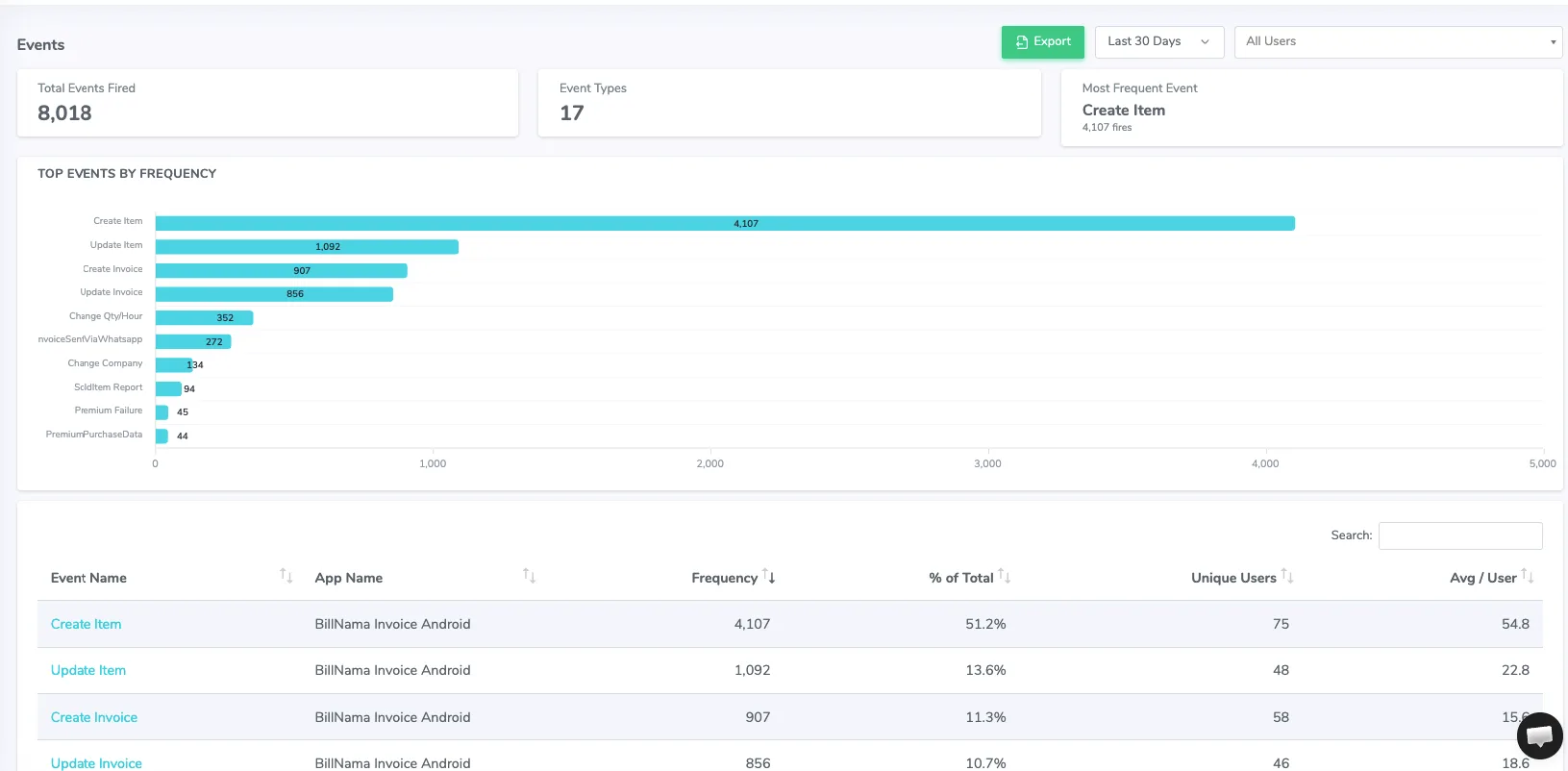
Log custom events for any action and see your top events, unique users and average frequency per user — then drill into the sessions behind each one. Over 41.9M+ events tracked in action.
Device-level weekly cohort retention shows Week-1 and Week-4 return rates, stickiness and a clear retention curve — so you can tell whether a release actually keeps users coming back.
Learn more about retention analytics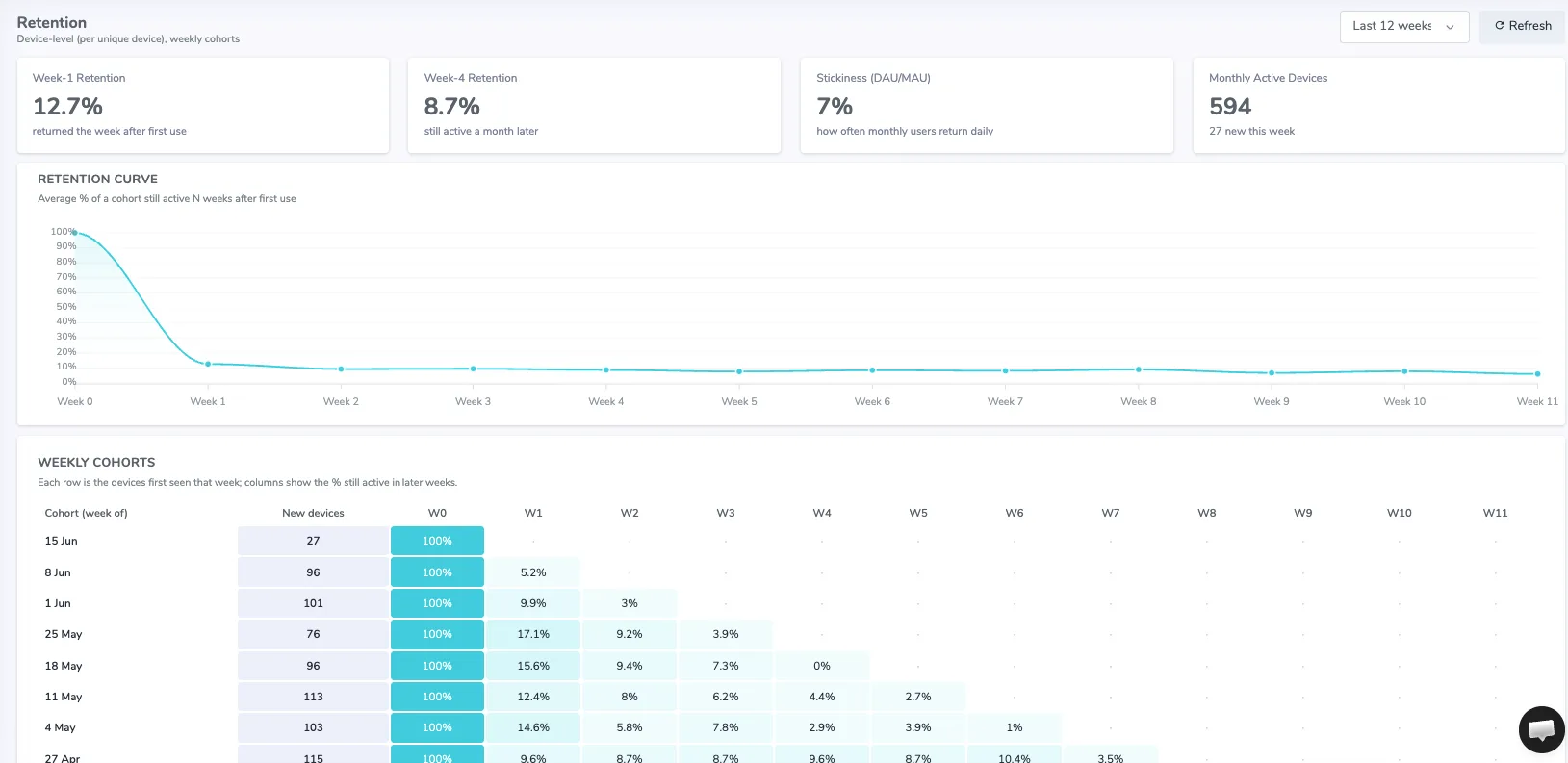
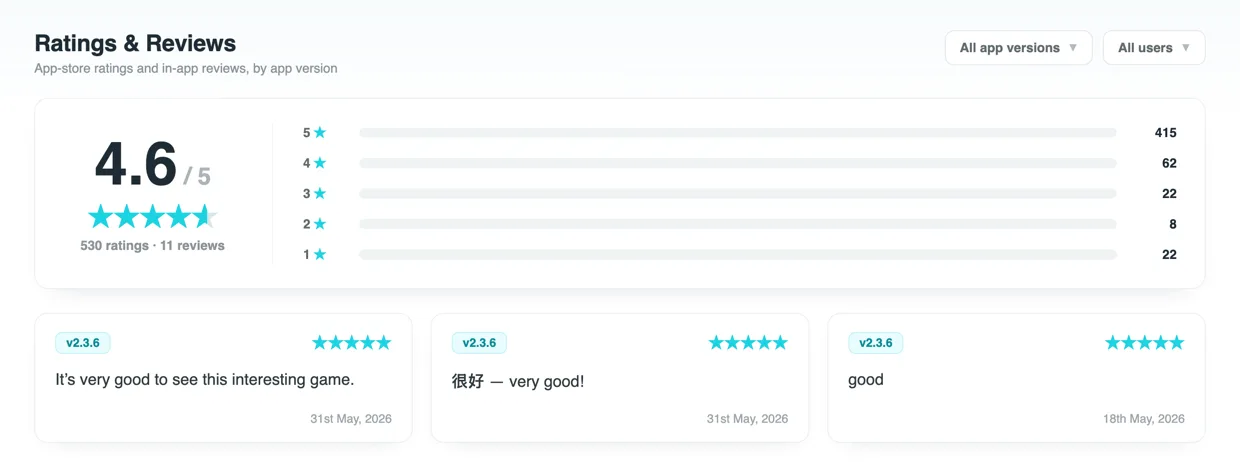
Prompt users for a rating and written feedback at the right moment, version by version — then read every review alongside that user’s session and journey, so feedback comes with the full story.
Ask “how likely are you to recommend this app?” without leaving the app. Shakebug collects 0-10 NPS scores and written feedback, then shows your live score, a Promoters/Passives/Detractors breakdown and every response — right next to your bugs, crashes and sessions.
Learn more about NPS surveys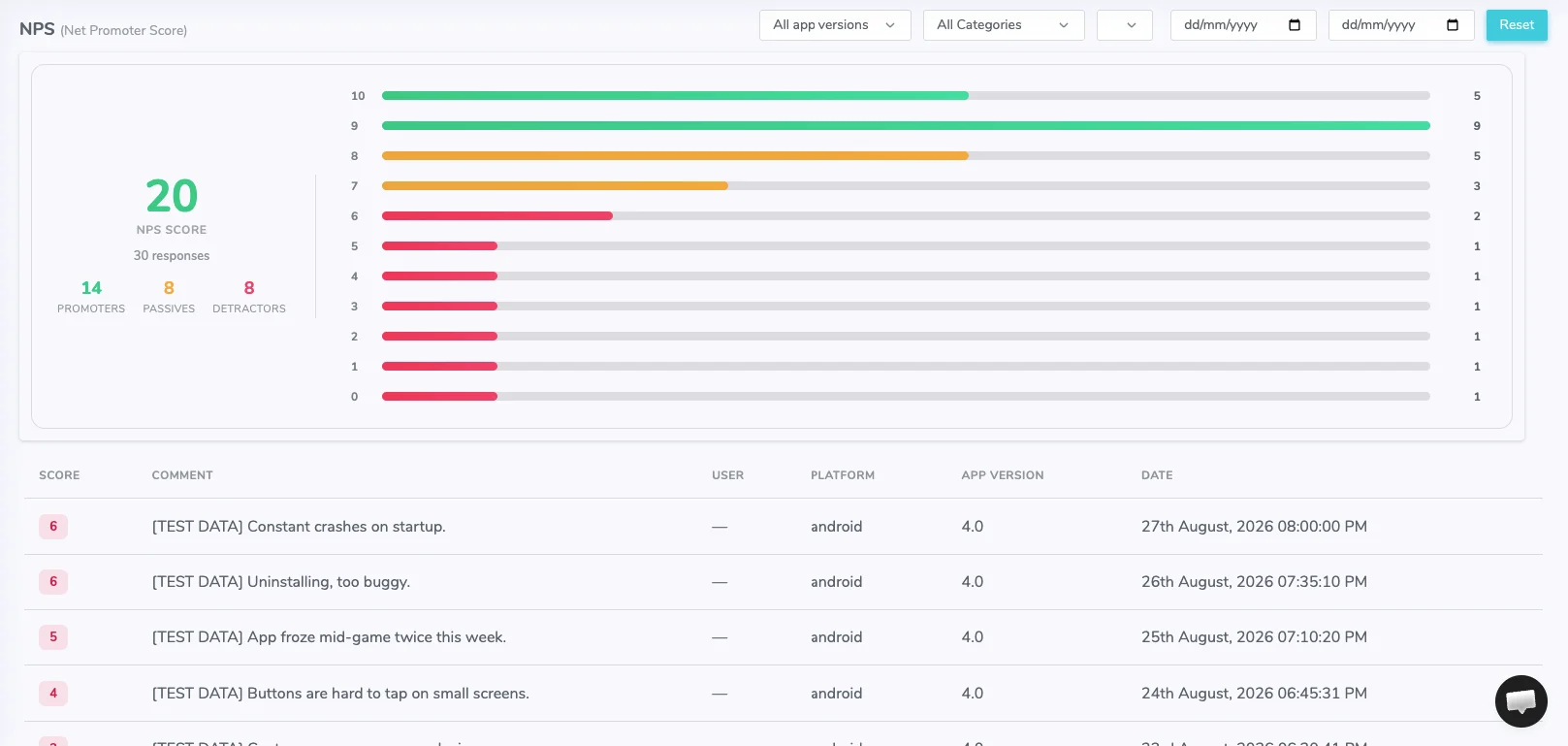
Shakebug turns a shake of the phone, or a click on web, into a full bug report: annotated screenshot, screen recording, user journey breadcrumbs, console logs, and device data, sent straight into your existing tracker. Crashes are captured automatically and grouped by AI, so ten reports of the same underlying issue show up as one. Every report links back to a session journey — the exact screens and events that led up to it — even for users who never logged in, since sessions track by device rather than by account.
Most teams run three separate tools: one for manual bug reports from testers, one for automatic crash capture, and one for usage analytics. Shakebug puts all three on one SDK and one dashboard. Bug reports come from a tester shaking the device. Crashes get captured without any action from the user and grouped automatically. Analytics — sessions, DAU/MAU, retention cohorts, custom events, ratings — sit next to the crash and bug data instead of in a separate tool, so a spike in crashes and a drop in retention show up on the same screen.
Shakebug supports iOS, Android, Flutter, React Native, and web apps built with React, Next.js, or any JavaScript framework — one SDK across all of them. Reports flow into Jira, Slack, Trello, ClickUp, Asana, Linear, GitHub, and GitLab. Teams comparing options against Instabug (now Luciq), Firebase Crashlytics, Sentry, Bugsee, Bugsnag, Bugherd, Bugasura, or UXCam can find a direct comparison for each on the respective alternative pages.
More than 1,300 product teams run Shakebug across 44 million-plus tracked sessions. Shakebug is part of the NVIDIA Inception program for its work on AI-based crash clustering. A free plan with no credit card required is available for anyone who wants to try it before committing.
Yes. Shakebug automatically tracks every customer session and links bug and crash reports to a visual user journey.
Yes. Shakebug builds a step-by-step visual user journey timeline for every recorded session.
Yes. Shakebug provides built-in device-level retention analytics with weekly cohort tracking.
Yes. Shakebug logs custom product events, screen views, and usage trends in a unified analytics dashboard.
Shakebug supports native mobile, cross-platform, web, and content management frameworks.
From a shake to a resolved issue — intuitive in-app bug reporting in three simple steps.
 Click to zoom
Shake the device to open the quick-action menu with 5 options: Report an issue with image, Record screen, Choose media, Turn off shake, or dismiss.
 Click to zoom
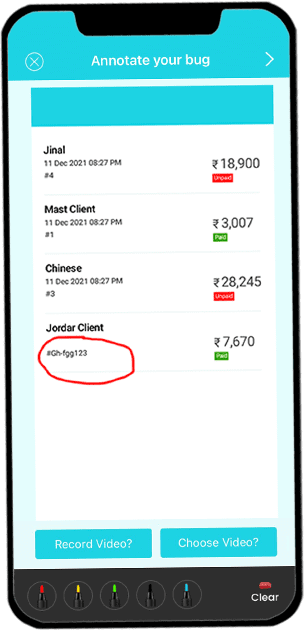
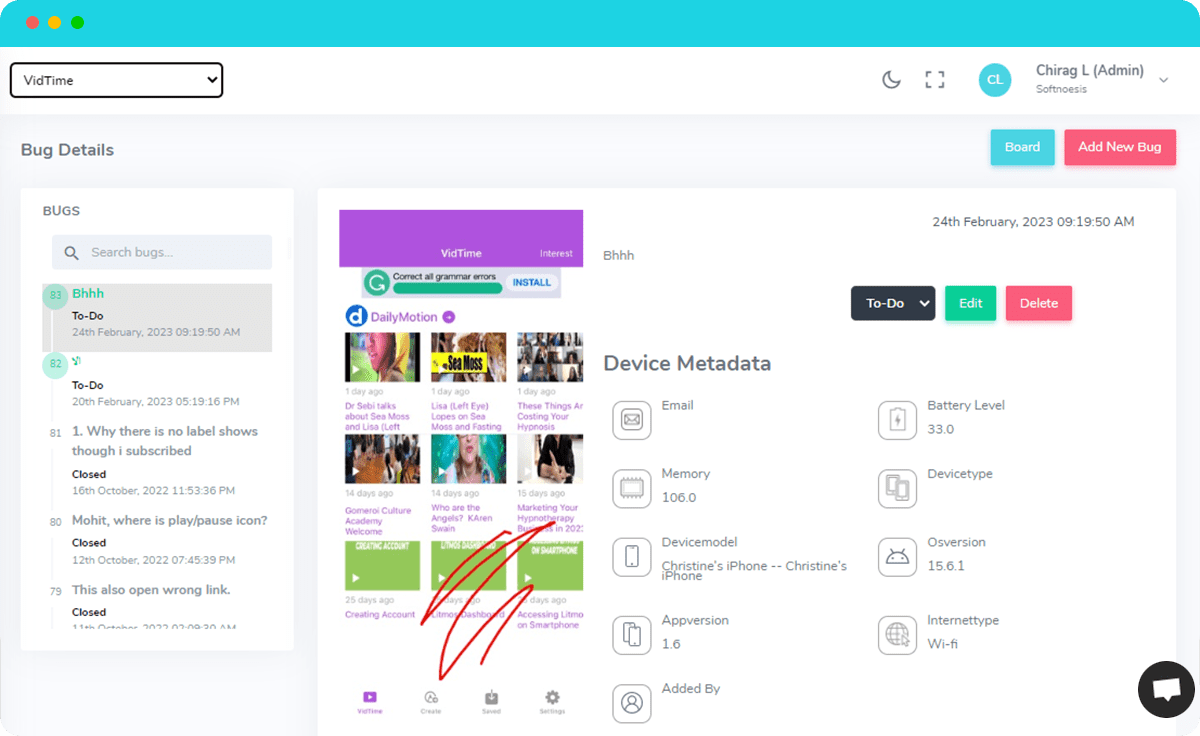
Draw, circle, and annotate directly on the captured screen with color pens and text tools to show developers the exact visual or functional problem.
 Click to zoom
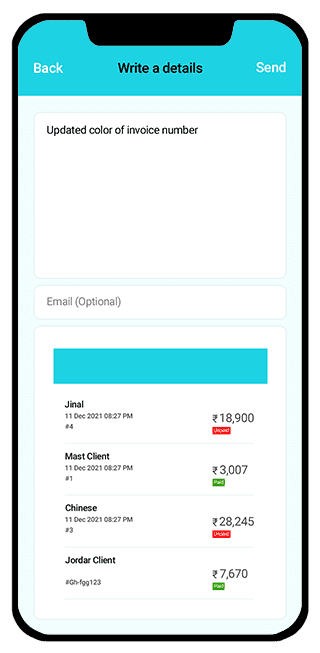
Add description and optional email, review or replace attached media, and tap send. Complete device specs, OS data, and console logs attach automatically.